The information shown may vary depending on:
-
Available data sources
-
Your access permissions
-
The identifier used for the search
-
The filters applied
Reviewing Results
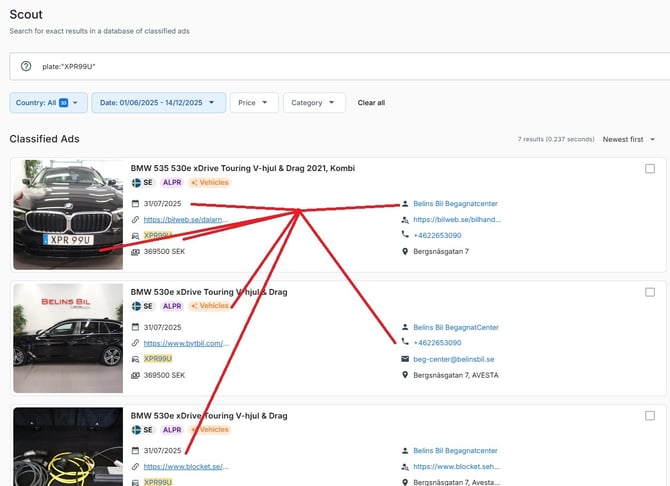
Search results may contain information such as:
-
Identifiers associated with a record
-
Listing details from classified advertisements
-
Dates and locations
-
Additional metadata related to the record
-
Shipping-related information
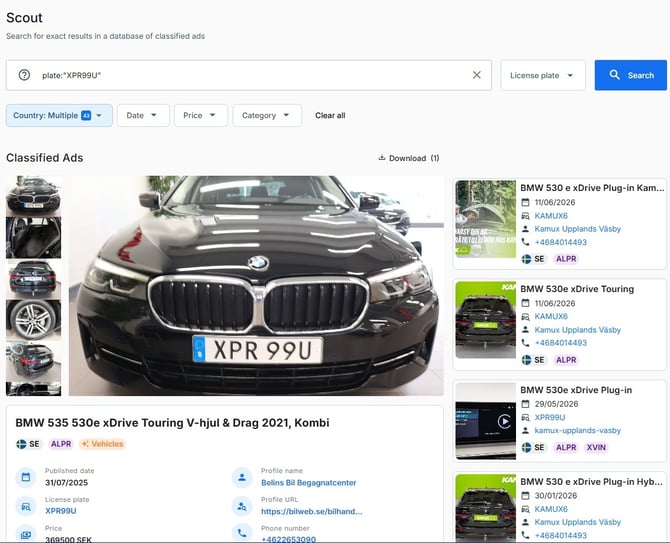
Refining Your Results
If your search returns too many results:
-> Apply country filters.
-> Narrow the date range.
-> Select a specific category.
-> Verify that your search value is correct.
No Results Found?
If no results are returned:
-> Confirm that the identifier was entered correctly.
-> Check that the appropriate search type was selected.
-> Remove restrictive filters.
-> Verify that data is available for the selected criteria.
Important Note
Search results reflect the data currently available through the platform. The amount and type of information displayed may differ between users based on access rights and enabled data sources.