Performing a Search
-
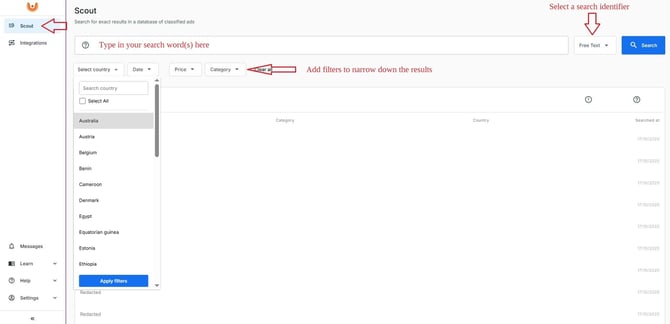
Open the Scout module.
-
Type a search word or select the identifier you want to search by (for example, License plate, VIN, Phone number, Email or others).
- Click Search.
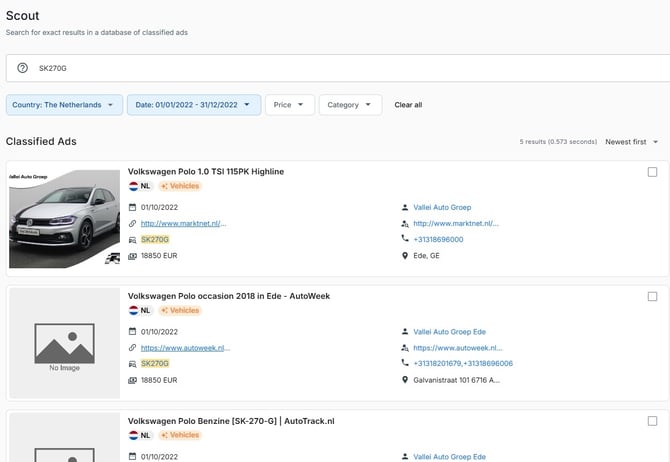
- Analyze the results list and open each record individually for further investigation.
Using Filters
To narrow your results, you can apply one or more filters:
-
Country
-
Date
-
Price
-
Category
Filters help you focus on the most relevant information available.
Quick Search Tips
-> Select the right identifier.
-> Apply filters to reduce unrelated results.
-> Use spaces between words to search for multiple words in an advertisement.
-> Combine words within quotations “” to force an exact word search.
-> Combine identifiers and search words into a single query by separating them with a space.
-> Try removing filters if your search returns no matches.
Next Step
Once you've completed a search, continue with the Understanding Search Results article to learn how to interpret the information displayed.