Use the menu on the side of the screen to move between different sections of the platform.
Scout
Scout is the platform's primary search tool.
Use Scout to search available data using identifiers such as:
-
License Plate
-
VIN
-
Phone Number
-
Email Address
-
Profile Name
-
File Name
-
Profile URL
You can also apply filters to refine your search results.
Integrations
The Integrations section allows you to connect external services and extend platform functionality.
Available options may include:
-
Single Sign-On (SSO)
-
Telematics integrations
-
API access and documentation
The integrations available to you depend on your organization's access and configuration.
Messages
The Messages page contains announcements and updates from our team.
Here you can find:
-
Platform updates
-
New feature announcements
-
Maintenance notifications
-
Other important information
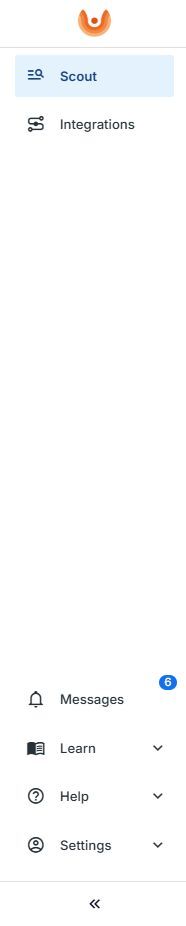 Learn
Learn
The Learn section provides access to helpful resources and documentation. Available resources include:
-
-
-
-
Knowledge Base articles
-
Getting Started guides
-
Best practices and tutorials
-
-
-
Help
The Help section provides access to support and important policy documents.
From here you can:
-
Contact Support
-
Review the Privacy Policy
-
Review the Cookie Policy
Settings
Use Settings to manage your account information. Depending on your role, you may also have access to additional company administration features.
-> Account
Manage your personal profile and account settings.
-> Company Admin
Users with Company Admin permissions can manage company-specific settings and users.
Collapse the Navigation Menu
Select the << button at the bottom of the navigation menu to collapse or expand the menu.
This can provide additional screen space while working in the platform.